Webhooks provide a way for notifications to be delivered to an external medium (e.g. HTTPS push, slack) whenever certain events occur on spektr.
About webhooks
Webhooks let you subscribe to events happening in spektr and automatically receive a notification to your server whenever those events occur.
Webhooks are used to receive data as it happens, as opposed to polling an API (calling an API periodically) to see if data is available. With webhooks, you only need to express interest once, when you create the webhook.
Webhooks are used in a wide range of scenarios, including:
- Receive information about executing processes, for example getting an notification every time an onboarding process executes, gives you information about service calls and when.
- Stay on top of what happens to your customers, for example if one customers gets a certain tag (high risk, for instance) after a monitoring process. Being notified immediately can help you build contingency logic on your side.
- Reflect changes on your customers in spektr.
- Logging events as they happen on spektr, for audit purposes.
About webhooks on spektr
Export settings
In order to subscribe to events occurring in spektr, you need to set a webhook URL in the /settings . When an event occurs, spektr will send an HTTPS request (or Slack) with data about the event to the URL that you specified. If your server is set up to listen for webhook deliveries at that URL, it can take action when it receives one.
For example, you could subscribe your webhook to events that occur when a process starts, a customer status changes, an AML alert is created or a process ended. Your server could respond by sending a notification, adding information collect to your customers or creating a ticket in your own alerting system.
- You must create a webhook on spektr's platform.
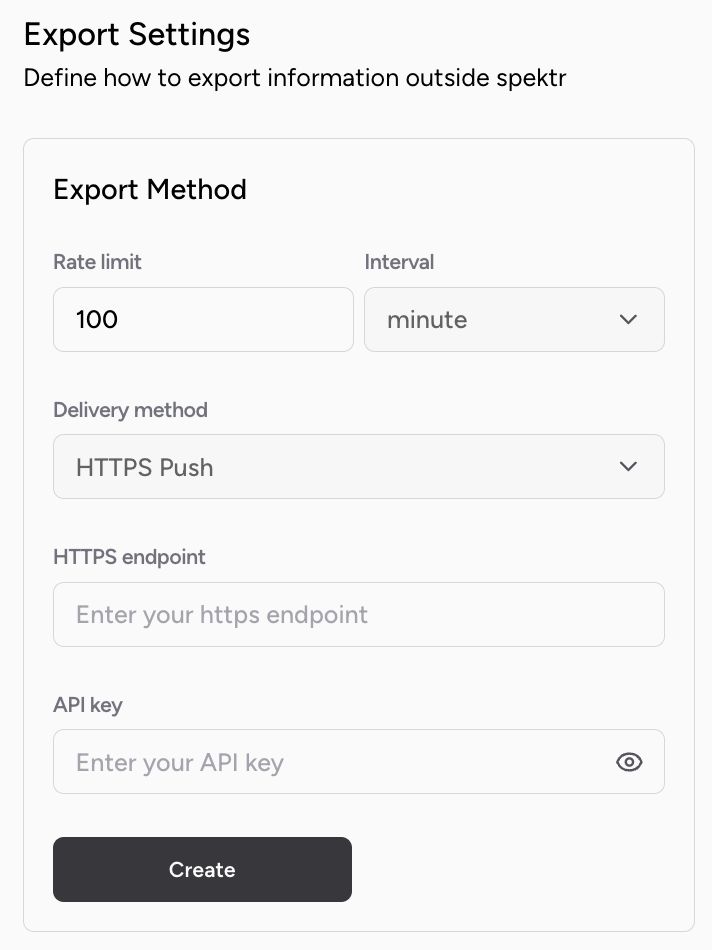
- You can set the rate limit.
- And the delivery method. We support HTTPS push and Slack notification.
- When a non 200 response is received by Spektr, 3 retries will be attempted, at 1 second intervals.
- At least once delivery is guaranteed.
- A guide to webhook HMAC signature verification is available here.
Process configuration
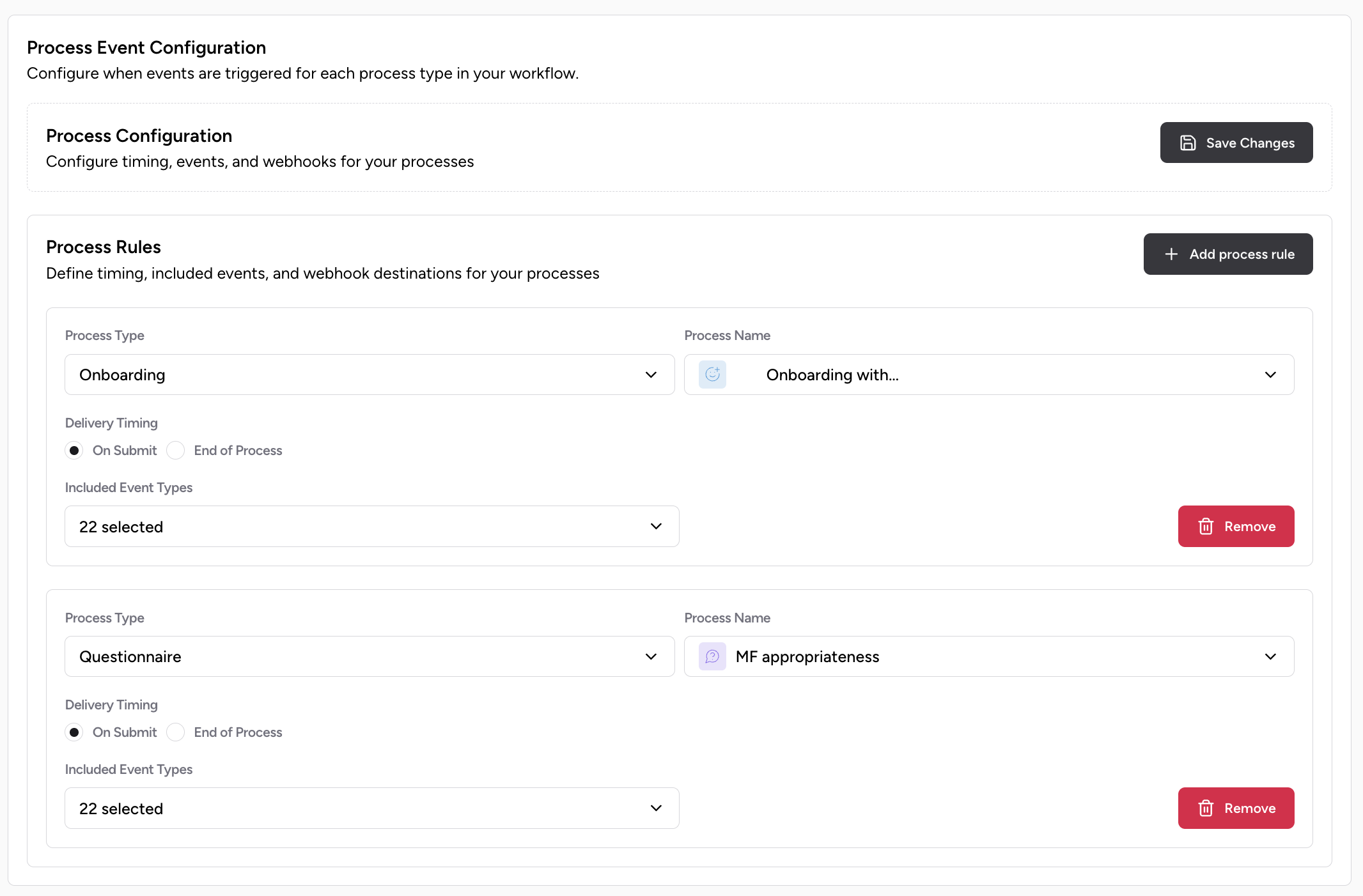
In order to grant more flexibility and not being over-flooded with events you don't need, you can configure which event types you would like to received in which scenarios. In the /settings/developer on the platform - same page as mention in the Export settings - you can configure which event you want to receive when.
- You can configure for which process type you want to receive which event type. For example I do not want to received "Process run started" and "Process run ended" events for monitoring process, because they happen every day and I'd rather focus on events like "Customer record changed".
- You can configure when you would like to receive the events. At the end of the process execution or right when the event was generated.